Wallaroo AI Starter Kit Image-Based Product Recommendation Deployment Guide
This tutorial and the assets can be downloaded as part of the Wallaroo Tutorials repository.
Wallaroo AI Starter Kit for IBM: Image-Based Product Recommendation Deployment Guide
This tutorial demonstrates how to use the Wallaroo AI Starter Kit for IBM Power to deploy the Image-Based Product Recommendation model in an IBM Logical Partition (LPAR).
Prerequisites
Before starting, verify the following:
- Wallaroo AI Start Kit LPAR (Logical Partition) Prerequisites are complete.
- The image catalog for similarity matching is prepared, available, and in JPG format.
Procedure
Retrieve the Deployment Command
- Navigate to the Wallaroo AI Starter Kit URL.
- Select the Model Card for the Wallaroo AI Starter Kit - Image-Based Product Recommendation.
- Copy the Deployment Command.
The following image shows an example of the deployment command.
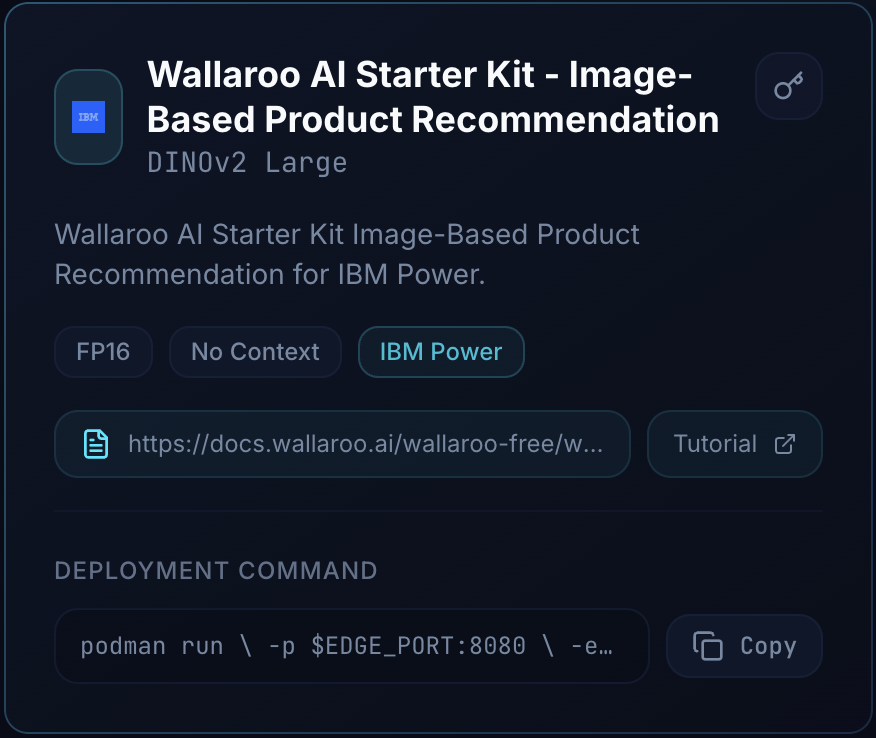
The following shows an example of this command.
podman run \
    -p $EDGE_PORT:8080 \
    -e OCI_USERNAME="$USERNAME" \
    -e OCI_PASSWORD="$GENERATED_TOKEN" \
    -e TOP_K="$TOP_K" \
    -e CATALOG_IMAGE_PATH="/$(basename $CATALOG_IMAGE_PATH)" \
    -v $CATALOG_IMAGE_PATH:/$(basename $CATALOG_IMAGE_PATH) \
    -e PIPELINE_URL=quay.io/wallarooai/wask/wask-dino-pipeline:c4fd6b47-5aed-4dc3-8850-ef26ff6c9913 \
    -e CONFIG_CPUS=1.0 --cpus=15.0 --memory=20g \
    quay.io/wallarooai/wask/fitzroy-mini-ppc64le:v2025.2.2-6555
Note: The Generated Token is provided by the Wallaroo team. If this token is lost, please reach out to the Wallaroo team to receive a new token.
Set the Deployment Command
Login to the LPAR through a terminal shell - for example, ssh.
- Set the following variables:
EDGE_PORT: The external IP port used to make inference requests. Verify this port is open and accessible from the requesting systems.CATALOG_IMAGE_PATH: The file path to the image catalog used for similarity comparisons.TOP_K: The number of similar images to return from the catalog.
- Place the catalog images (in JPG format) in the directory specified by
CATALOG_IMAGE_PATH.
The following example shows the expected contents of the catalog directory:
0.jpg	18.jpg	27.jpg	36.jpg	45.jpg	54.jpg	63.jpg	72.jpg	81.jpg	91.jpg
1.jpg	19.jpg	28.jpg	37.jpg	46.jpg	55.jpg	64.jpg	73.jpg	82.jpg	92.jpg
10.jpg	2.jpg	29.jpg	38.jpg	47.jpg	56.jpg	65.jpg	74.jpg	83.jpg	93.jpg
11.jpg	20.jpg	3.jpg	39.jpg	48.jpg	57.jpg	66.jpg	75.jpg	84.jpg	94.jpg
12.jpg	21.jpg	30.jpg	4.jpg	49.jpg	58.jpg	67.jpg	76.jpg	85.jpg	95.jpg
13.jpg	22.jpg	31.jpg	40.jpg	5.jpg	59.jpg	68.jpg	77.jpg	86.jpg	96.jpg
14.jpg	23.jpg	32.jpg	41.jpg	50.jpg	6.jpg	69.jpg	78.jpg	88.jpg	97.jpg
15.jpg	24.jpg	33.jpg	42.jpg	51.jpg	60.jpg	7.jpg	79.jpg	89.jpg	98.jpg
16.jpg	25.jpg	34.jpg	43.jpg	52.jpg	61.jpg	70.jpg	8.jpg	9.jpg	99.jpg
17.jpg	26.jpg	35.jpg	44.jpg	53.jpg	62.jpg	71.jpg	80.jpg	90.jpg
The following shows an example of these values declared in the command:
podman run \
    -p 3030:8080 \
    -e OCI_USERNAME="$USERNAME" \
    -e OCI_PASSWORD="$GENERATED_TOKEN" \
    -e TOP_K="5" \
    -e CATALOG_IMAGE_PATH="/product_catalog_images" \
    -v /root/product_catalog_images/:/product_catalog_images \
    -e PIPELINE_URL=quay.io/wallarooai/wask/wask-dino-pipeline:c4fd6b47-5aed-4dc3-8850-ef26ff6c9913 \
    -e CONFIG_CPUS=1.0 --cpus=15.0 --memory=20g \
    quay.io/wallarooai/wask/fitzroy-mini-ppc64le:v2025.2.2-6555
Once configured, deploy the model by running the updated Deploy Command for your environment.
Inference
Inference requests are made by submitting Apache Arrow tables or Pandas Tables in Record Format as JSON.
The Inference URL is in the format:
$HOSTNAME:$PORT/infer
For example, if the hostname is localhost and the port is 3030, the Inference URL is:
localhost:3030/infer
The following shows an example of performing the inference request on the deployed Image-Based Product Description via the curl command.
Note: this command is run within a Jupyter Notebook for the tutorial; in a terminal shell, remove the !curl and replace it with curl.
!curl POST localhost:3030/infer \
   -H "Content-Type: application/json" \
   -v --data @sample_image.json
"out":{"similar_images":["76.jpg","89.jpg","88.jpg","77.jpg","63.jpg"]},"anomaly":{"count":0},"metadata":{"last_model":"{\"model_name\":\"wask-dino-byop-model\",\"model_sha\":\"44493a8cdac83024ab933602eacdbebdfe671dd0053978c17e2ee1b44d4016a6\"}","pipeline_version":"c4fd6b47-5aed-4dc3-8850-ef26ff6c9913","elapsed":[15134496,2170011851],"dropped":[],"partition":"fd954207dbf8"}}